Why Recruiters Trust ATS-Optimized Resumes More Than Creative Ones
Most resumes are filtered by ATS; use simple single-column .docx files, match job-description keywords, and test with scanners to ensure recruiters see your skills.

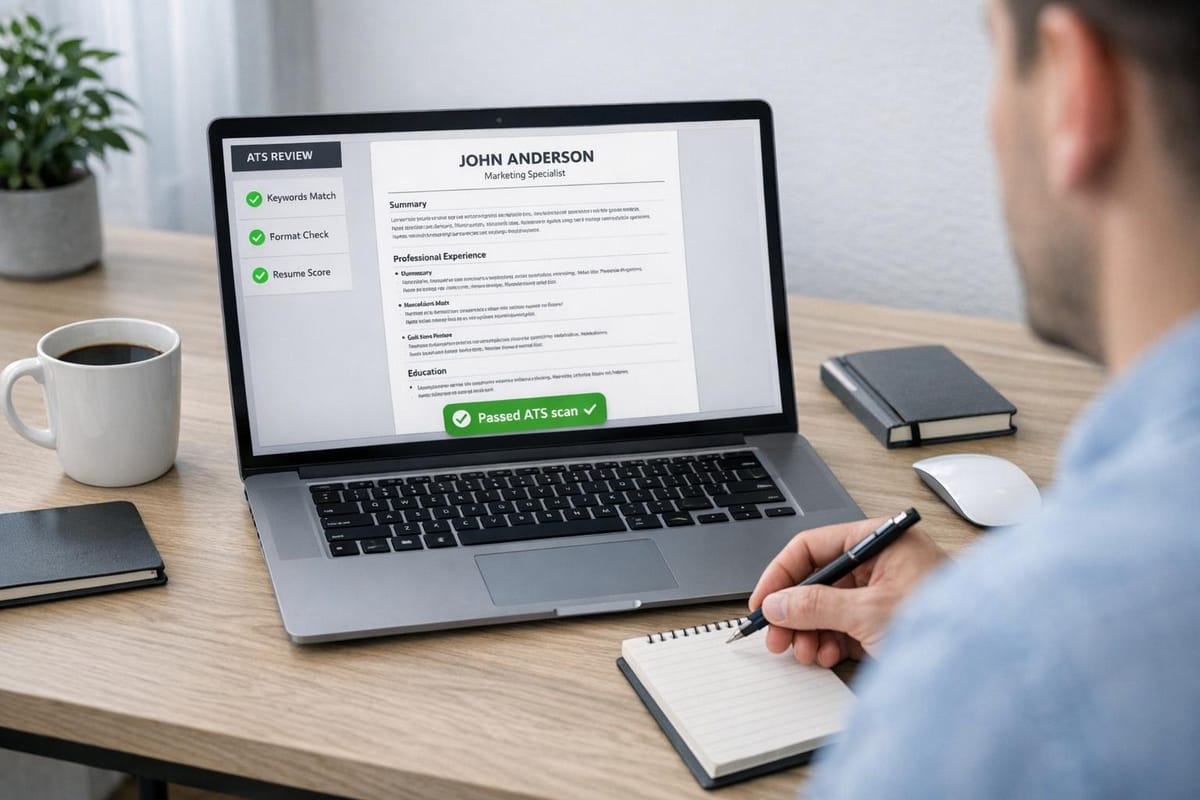
Applicant Tracking Systems (ATS) are used by nearly 98% of Fortune 500 companies to filter resumes before they reach recruiters. Creative resumes often fail ATS parsing due to formatting issues like graphics, columns, or unconventional section titles, causing important details to be missed. ATS-optimized resumes, in contrast, prioritize clear formatting, relevant keywords, and compatibility with ATS algorithms, ensuring your qualifications are accurately captured.
To boost your chances of passing ATS filters:
- Use simple, single-column layouts with standard fonts.
- Include keywords directly from the job description.
- Save your resume as a .docx file for better parsing accuracy.
While creative resumes can work for design-related roles or networking, having an ATS-friendly version is critical for online applications. Tools like Jobscan offer keyword scanning, but professional services such as scale.jobs provide tailored, human-reviewed resumes to maximize your success rate.
ATS Resume Statistics: Parsing Accuracy and Job Search Success Rates
How ATS Works: What Job Seekers Need to Understand
ATS Algorithms and Keyword Matching
When you submit your resume online, an Applicant Tracking System (ATS) breaks it down into data fields such as contact information, job titles, employment dates, and skills. This information is stored in a searchable database that recruiters use to find candidates by entering specific keywords, job titles, or required skills.
Modern ATS tools rank candidates based on keyword usage and placement. For instance, if the job description mentions "Python" as a required skill, the system looks for that exact term. Placement is critical - keywords appearing in relevant sections, like the skills or experience area, are given more weight.
David Kim, Director of Recruiting at Clearline Fintech, explains: "When candidates use 'optimized,' 'scaled,' or 'orchestrated' in the same order the [job description] does, our ATS auto-ranks them higher."
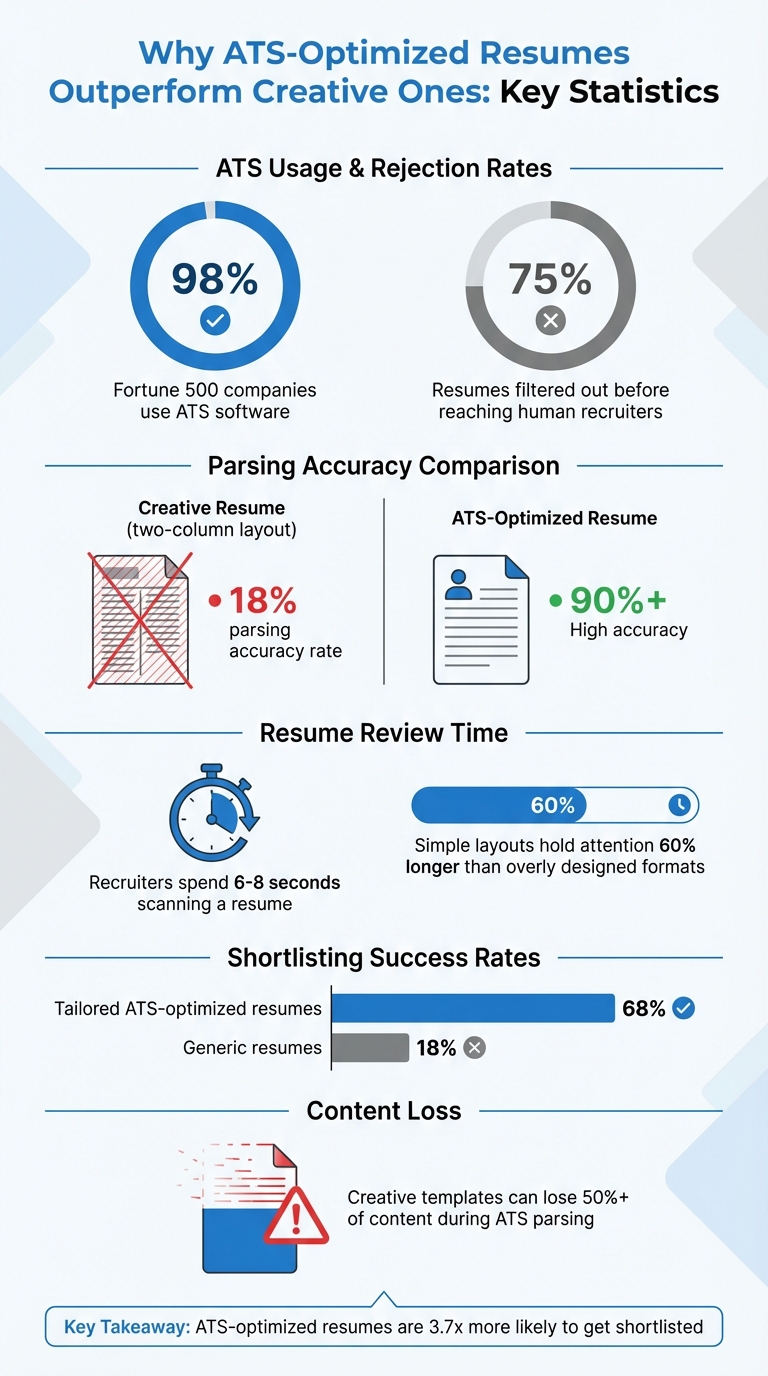
Nearly all Fortune 500 companies - about 98% - use ATS software, and roughly 75% of resumes are filtered out before a human recruiter even sees them. The system lacks the ability to interpret intent or context. For example, if your resume says "Customer Success Manager" but the job posting asks for "Client Success Manager", the ATS may not recognize them as the same role, even though a recruiter would.
To improve your chances, focus on identifying 8–10 key terms from the job description and weaving them naturally into your resume. Avoid simply listing keywords; instead, demonstrate them with specific achievements. For example, instead of writing "Skilled in project management", try something like, "Managed a 12-member cross-functional team to deliver a $2.3M software implementation three weeks ahead of schedule." This approach not only captures terms like "project management" but also provides measurable results for human reviewers.
These details highlight why ATS-optimized resumes often outperform creative formats, a key point emphasized by scale.jobs when comparing different resume styles.
Formatting Problems That Break Creative Resumes
Creative resume designs, such as those with two-column layouts or text boxes, often confuse ATS software. Tests have shown that these formats can cause the system to lose more than 50% of the content during parsing. One creative template tested by Rezi had an 18% parsing accuracy rate, meaning the ATS missed 82% of the candidate's qualifications.
The issue lies in how ATS software reads documents. Most systems scan resumes from left to right and top to bottom in a single column. If your resume uses a two-column format with "Work Experience" on one side and "Education" on the other, the ATS might read the first line of work experience, then jump to the first line of education, creating a scrambled and unusable output.
Luc Lemerez, Lead Developer at Rezi, points out: "PDFs, the universal resume format, were built for printing, not structured data, and ATS stumble without it."
Special formatting choices like custom bullet points (e.g., stars, arrows, or checkmarks) and graphics can further disrupt parsing. Icons, skill badges, and visual rating bars (such as five stars for "Excel proficiency") often appear as blank spaces. Even minor design choices, like placing contact details in headers or footers, can make your email or phone number invisible to the system, leaving recruiters unable to contact you.
File formats also play a crucial role. Resumes saved as .docx files are generally parsed accurately, while image-based PDFs may appear blank to the system. Additionally, using non-standard fonts can lead to misinterpretation or display errors. If essential details like your job titles or contact information are lost during parsing, your resume may never appear in search results, no matter how qualified you are.
For those unsure about how to format their resumes for ATS compatibility, using an AI resume builder can help ensure that your document is both technically sound and visually polished. This way, you avoid common pitfalls while presenting your qualifications effectively.
What Recruiters Value: Why ATS-Optimized Resumes Win
Speed and Efficiency in High-Volume Hiring
Recruiters often face the challenge of sifting through hundreds, sometimes thousands, of resumes for a single job opening. To manage this volume, they rely on Applicant Tracking Systems (ATS), which quickly extract and organize key details from resumes into a structured database. This process allows recruiters to identify qualified candidates faster, focusing their attention on those who best match the job requirements. By automating the initial screening, ATS ensures a smoother, more efficient hiring process.
Standardized Candidate Comparisons
Another advantage of ATS-optimized resumes is their ability to present candidate information in a consistent and structured way. This standardization makes it easier for recruiters to compare applicants side by side, evaluating them based on qualifications, experience, and skills without missing critical details. Using clear sections such as "Work Experience", "Education", and "Skills" ensures that all essential information is readily accessible. While visually creative resumes might catch the eye, they often fall short in ATS systems compared to resumes that showcase your career story effectively, where clarity and structure are key to standing out in high-volume hiring scenarios.
How to Build an ATS-Optimized Resume That Still Stands Out
ATS-Friendly Formats and Layouts
To ensure your resume passes through Applicant Tracking Systems (ATS) smoothly, stick to a single-column layout with standard fonts like Arial, Calibri, or Times New Roman, sized between 10 and 12 points. Avoid using split-column designs, text boxes, headers, footers, or embedded images. These elements can confuse ATS software, potentially causing your information to be misinterpreted or skipped entirely.
Organize your resume with bold headings for key sections such as "Work Experience", "Education", and "Skills." Steer clear of flashy graphics or icons, as they can interfere with parsing. If you want to add a subtle touch of style, use dark blue sparingly for headings to improve readability for human reviewers while remaining ATS-compatible. Always save your resume as a PDF or .docx file, and test the PDF in Adobe Acrobat by selecting text line-by-line. If the text selection skips or jumps around, the file's structure may be broken and should be rebuilt in Microsoft Word using linear formatting.
"The biggest misconception is that ATS engines 'dislike' creativity. They don't dislike anything - they lack the capacity to interpret intent... Your job isn't to impress the machine - it's to make the machine's job easy so your resume reaches the human." - Lena Torres, Talent Technology Architect, PeopleFirst Systems
Take Maya R.'s experience as an example. In early 2024, this UX designer used a split-column layout with icons in her skills section. Although her resume scored 94% on Jobscan, the ATS failed to parse her portfolio link, leading to rejection. After switching to a single-column format with bold headers and plain-text skill tags, her Resume Worded score improved from 62% to 88%. Within two weeks, she secured seven interview invitations.
The takeaway? A clean, ATS-friendly format combined with the right keywords can make all the difference.
How to Use Keywords for Better ATS Ranking
Keywords are the backbone of ATS optimization. Start by carefully reviewing the job description and incorporating exact phrases into your summary, experience, and skills sections. Precision is key - if the employer specifies "project management", don't substitute it with "project coordination" or similar terms.
A helpful strategy is the "Verb + Scope + Outcome" formula for crafting impactful bullet points. For example: "Upgraded Salesforce CRM for 12 sales reps, cutting lead response time by 40%." This approach integrates technical terms (like Salesforce and CRM) while highlighting measurable achievements. Be mindful to avoid keyword stuffing or using invisible white text, as modern ATS systems can detect these tactics and may disqualify your application.
"I've reviewed over 12,000 parsed resumes. The ones that get fast-tracked aren't the flashiest - they're the clearest." - David Kim, Director of Recruiting, Clearline Fintech
Testing Your Resume with ATS Scanners
Once your resume is formatted and packed with targeted keywords, it's time to test it against ATS simulation tools. These tools mimic real ATS behavior, helping you identify areas for improvement.
- Jobscan: This tool models eight major ATS systems, including Workday and Taleo, and focuses on keyword density and phrase matching. It's particularly useful if you're applying to large companies with strict ATS requirements.
- Resume Worded: With simulations for over 12 ATS systems, this tool emphasizes verb-noun pairing and is better suited for mid-sized companies where manual reviews are more common.
Testing tools provide match scores and flag missing keywords, helping you avoid the common pitfalls that lead to the 75% ATS rejection rate. If you'd prefer to save time, a professional job application service can create a fully optimized resume for you, covering everything from formatting to keyword placement and compliance testing.
ATS-Optimized vs. Creative Resumes: When to Use Each
When Creative Resumes Work (and When They Don't)
Creative resumes are best suited for industries where visual presentation is part of the job, such as graphic design, UX/UI design, advertising, filmmaking, and photography. In these fields, your resume can act as an early showcase of your skills. For example, a well-designed resume might help you stand out to hiring managers before an interview. However, it’s important to remember that even creative-focused companies often rely on ATS (Applicant Tracking Systems) to handle large volumes of applications.
"As designers, we want to show off our creative chops... but we don't want to get binned by some pesky robot before a human even claps eyes on our work." - Saman S., Designer
To strike a balance, it’s smart to have two versions of your resume: one that is ATS-friendly and another that is visually polished for direct outreach or in-person opportunities. When uploading a resume to a company’s website or job board, assume it will be processed by ATS software. Testing has shown that graphic-heavy resumes often lose key information during ATS parsing - such as missing education details or misinterpreted employment dates placed in decorative elements.
A simple way to bridge this gap is by including a clickable portfolio link within your ATS-friendly resume. This approach allows recruiters to view your creative work without compromising the document's ability to pass ATS screening. For those who want professional assistance, a resume writing service can help craft both an ATS-compliant resume and a visually appealing portfolio piece tailored to your industry.
Who Should Use Jobscan vs. Who Should Choose scale.jobs
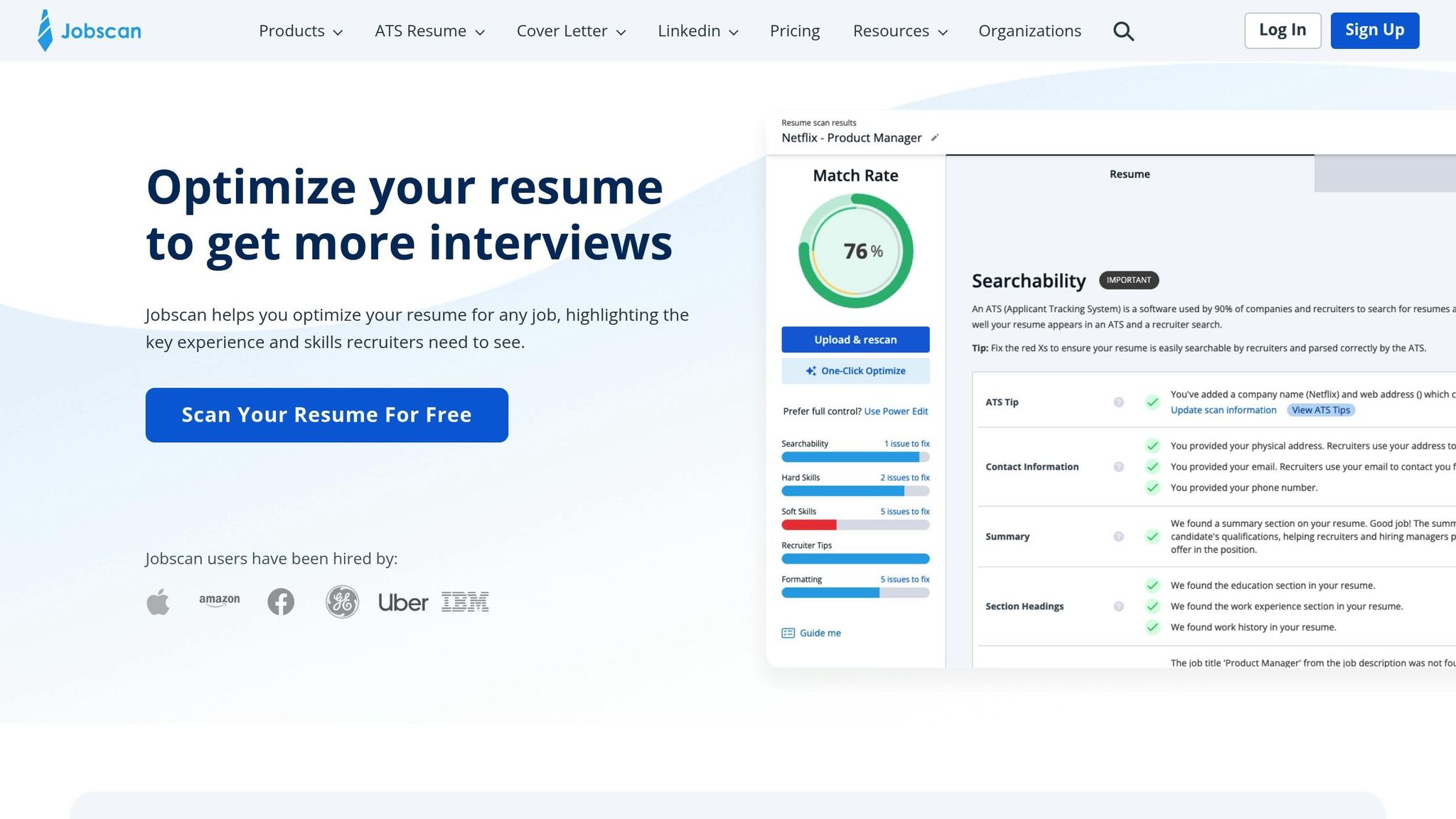
Choose Jobscan if you:
- Prefer a self-service tool for quick keyword matching
- Want a lower-cost subscription model for scanning multiple job descriptions
- Are comfortable editing and tailoring your resume independently
Choose scale.jobs if you:
- Need hands-on, human assistance for every application
- Want guaranteed ATS compliance with a fully customized resume
- Prefer one-time payment options without recurring fees
- Value real-time WhatsApp support and detailed proof of application submissions
- Require both ATS-optimized resumes and professional help with application execution
| Feature | Jobscan | scale.jobs |
|---|---|---|
| Human Involvement | None (automated scanning) | Human-guided resume customization |
| Resume Customization Depth | Keywords only | Full rewrite tailored to specific jobs |
| ATS Handling | Simulation and scoring | Optimization + proof of execution |
| Application Execution | Self-applied | Human-powered submission |
| Transparency | Score reports | WhatsApp updates + screenshots |
| Pricing | Monthly subscription ($49.95–$89.95) | One-time payment |
Why ATS-Optimized Resumes Work for Most Jobs
For industries like corporate, tech, finance, and healthcare, ATS-optimized resumes offer a clear advantage over creative designs. Tailored resumes that align with job-specific keywords improve shortlisting rates to 68%, compared to just 18% for generic resumes. Recruiters typically spend 6 to 8 seconds scanning a resume, and simple, scannable layouts hold their attention 60% longer than overly designed formats.
"In an ATS‑driven hiring process, the resume that wins isn't the most creative - it's the one that gets read correctly." - Jofibo
The key difference between ATS-optimized and creative resumes lies in their functionality, not just appearance. ATS-friendly resumes ensure that your skills, experience, and qualifications are accurately parsed into the system’s database. If the software misinterprets your details, even the most impressive background won’t make it to the recruiter’s desk. For most job seekers, this means focusing on clarity and compatibility over visual appeal. This is why platforms like scale.jobs prioritize human-reviewed, ATS-compliant resumes for high-volume hiring environments.
| Feature | ATS-Optimized Resume | Creative Resume |
|---|---|---|
| Primary Audience | ATS Algorithms & Recruiters | Hiring Managers & Creative Directors |
| Best For | Corporate, Tech, Finance, Healthcare | Design, Arts, Marketing, Media |
| Layout | Single-column, text-focused | Multi-column, visually distinctive |
| Risk Level | Low (Reliable parsing) | High (Potential parsing errors) |
| Submission Method | Online portals/Job boards | Direct email, Networking, Portfolios |
Your Resume Is Getting REJECTED by ATS (Here’s How to FIX IT) + FREE TEMPLATE INSIDE!
Conclusion: Focus on ATS Optimization for Better Job Search Results
Did you know that over 75% of resumes never even make it to a human recruiter because they’re filtered out by Applicant Tracking Systems (ATS)? It’s a sobering statistic, but it underscores the importance of making your resume machine-readable. While platforms like Jobscan and Resume Worded offer automated scanning tools, scale.jobs takes it a step further by combining ATS optimization with personalized human input, ensuring your application stands out at every stage.
To navigate high rejection rates, your resume needs to strike a balance - technically compliant for ATS while also engaging for recruiters. Remember, recruiters typically spend less than 7 seconds on a single resume. One effective strategy is using the "Verb + Scope + Outcome" formula in your bullet points. For example: "Upgraded Salesforce CRM for 12 sales reps, cutting lead response time by 40%." This approach satisfies ATS keyword algorithms while catching a recruiter’s eye. Test your resume with ATS scanners and aim for a score of 80 or higher. Additionally, spell out acronyms alongside abbreviations to ensure proper parsing by the system.
"The biggest misconception is that ATS engines 'dislike' creativity. They don't dislike anything - they lack the capacity to interpret intent... Your job isn't to impress the machine - it's to make the machine's job easy so your resume reaches the human." – Lena Torres, Talent Technology Architect, PeopleFirst Systems
Why scale.jobs Stands Out Compared to Jobscan
- Human expertise: Unlike automated tools, scale.jobs offers expert review and tailored customization for every application.
- ATS-friendly resumes: Resumes are fully rewritten to align with job-specific requirements, not just keyword stuffing.
- No subscriptions: Pay once per service, with no recurring fees.
- Real-time WhatsApp support: Get updates and direct communication throughout the process.
- Proof of application: Receive screenshots and detailed confirmation of every job submission.
For many job seekers, tackling ATS challenges can feel overwhelming. That’s where expert services like scale.jobs come in. With human-reviewed, ATS-compliant documents, real-time WhatsApp updates, and proof-of-work screenshots, scale.jobs ensures your application passes the ATS filter and lands in front of recruiters. Whether you choose a DIY optimization tool or professional support, the ultimate goal is the same: getting your resume into the right hands.
Decision Summary
Choose Jobscan or similar tools if:
- You’re comfortable optimizing your resume independently.
- You want a subscription-based model for multiple applications.
- You only need basic keyword matching and ATS scoring feedback.
Choose scale.jobs if:
- You want hands-on human assistance for every application.
- You need fully customized, ATS-compliant resumes.
- You prefer one-time payments without ongoing fees.
- You value real-time WhatsApp updates and proof of submissions.
- You’re looking for both optimization and professional application execution.
When to Switch to scale.jobs
- If automated tools haven’t improved your interview callback rate.
- If you’re applying to 20+ jobs weekly and need expert help, not just scoring.
- If you want transparency - detailed proof that every application was submitted correctly.
- If you prefer avoiding monthly subscription fees.
- If you need human oversight to catch errors that automated systems might miss.
FAQs
How can I tell if my resume is ATS-readable before I apply?
To make sure your resume is compatible with ATS (Applicant Tracking Systems), try using free ATS resume checkers. These tools review your resume for proper formatting, relevant keywords, and clear section organization. They help you spot potential problems, like missing keywords or non-standard formats, that could cause your resume to be overlooked. By testing your resume beforehand, you can address these issues and boost your chances of getting noticed when you submit your application.
Should I keep two resumes (ATS version and creative version)?
Yes, keeping two resumes can be a smart move: an ATS-friendly version for online job applications and a visually appealing version for networking or face-to-face opportunities. This strategy allows you to adapt your application to suit various hiring situations, boosting your chances of making a strong impression.
What are the safest ways to add keywords without sounding forced?
When crafting your resume, it's crucial to integrate keywords that align naturally with the job description. Use synonyms where they fit, but steer clear of overloading your resume with keywords, as this can make it feel forced. To ensure your resume is optimized for applicant tracking systems (ATS), stick to standard fonts and organize the content into clear, easy-to-read sections.
Testing your resume with ATS checkers can help pinpoint areas for improvement, such as missing keywords or formatting issues. However, don't overlook the value of human review - this step ensures your resume maintains a genuine tone and flows well. Finally, tailoring your resume for each role is essential. Customizing it not only enhances relevance but also makes your application stand out to hiring managers. For more help refining your resume, consider tools like an AI resume builder to streamline the process.