Why ATS-Friendly Resumes Look “Boring” but Get Hired
Why simple, single-column resumes with clear headings and job-matched keywords pass ATS scans and reach recruiters.


ATS-friendly resumes prioritize simplicity to ensure they pass automated screening systems used by over 98% of Fortune 500 companies. These resumes avoid complex designs, graphics, or multi-column layouts that confuse Applicant Tracking Systems (ATS). Instead, they use clean formatting, standard fonts like Arial or Calibri, and clear headings such as "Work Experience" and "Skills." While they may lack visual appeal, this straightforward structure ensures your qualifications are accurately parsed and sent to recruiters.
Key takeaways:
- Why Simplicity Works: ATS systems read resumes line-by-line and often skip graphics, tables, or creative layouts.
- Common Mistakes: Multi-column formats, tables, or images can lead to errors or missed information.
- Formatting Tips: Use single-column layouts, standard fonts, and clearly labeled sections.
- Keyword Optimization: Match your skills and experience to the job description for better ATS compatibility.
If you’re applying for multiple positions or struggling to get callbacks, focusing on ATS-friendly formatting can significantly improve your chances. Services like scale.jobs even provide tailored assistance to optimize resumes for ATS and manually submit applications, ensuring they’re seen by recruiters.
The Best Resume Template for ATS Scanners in 2026 (and how to keyword it)
The Problem: Why Fancy Resumes Fail ATS Scans
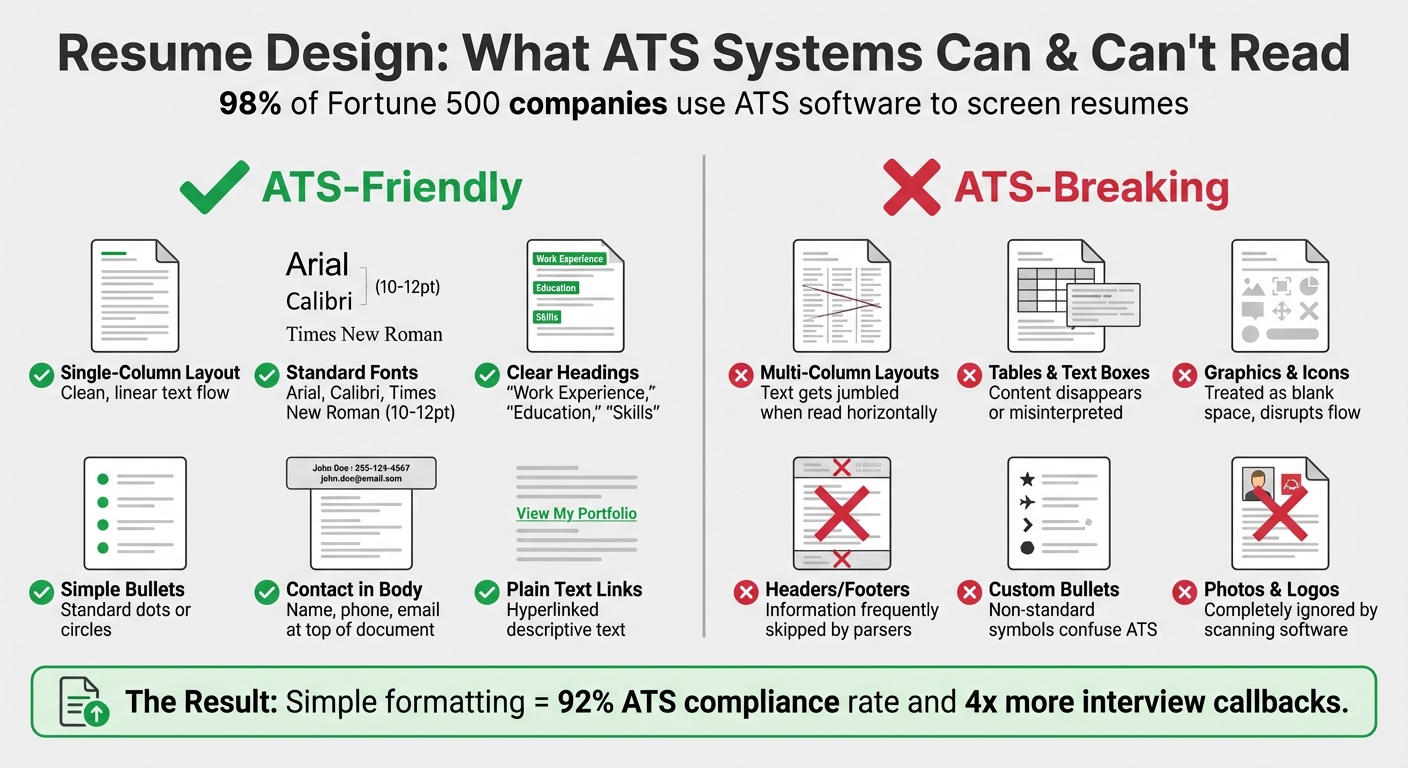
ATS-Friendly vs ATS-Breaking Resume Design Elements Comparison
How ATS Systems Read Resumes
Applicant Tracking Systems (ATS) rely on Optical Character Recognition (OCR) and parsing algorithms to extract and analyze information from resumes. These systems are programmed to scan for standard headings like "Experience", "Education", and "Skills", and then process the content line by line in a linear format. If your resume deviates from this straightforward structure, the ATS may struggle to interpret it.
The system also searches for keywords that align with the job description. For instance, terms like "SQL", "Salesforce", or specific certifications are critical. However, slight variations in phrasing can cause issues. For example, writing "managed projects" instead of "Project Management" might result in the ATS failing to identify a key skill. Let’s take a closer look at design choices that can further complicate this process.
Design Mistakes That Break ATS Parsing
Certain design elements can completely derail the ATS's ability to read your resume. Here are some common ones:
- Multi-column layouts: ATS software reads text horizontally, so resumes with multiple columns often lead to jumbled or merged content. This makes it difficult for the system to distinguish between sections.
- Tables and text boxes: Information placed in tables or text boxes can either disappear entirely or be interpreted incorrectly. For instance, if your job titles or skills are inside a table, the ATS may not process them at all.
- Graphics, logos, and photos: Visual elements like infographics or icons are ignored by ATS software. A skills infographic, for example, would be skipped entirely, leaving a key section of your resume unread.
- Headers and footers: Information placed in these areas, such as contact details or key qualifications, is often overlooked by ATS systems. This means crucial details may never make it to the recruiter.
- Custom bullet points: Using non-standard symbols for bullet points can confuse the ATS, causing it to skip or misread your content. Stick to simple, standard bullet points like circles or dots.
Here’s a quick comparison of problematic design elements and their recommended alternatives:
| Design Element | ATS Impact | Recommended Alternative |
|---|---|---|
| Tables & Text Boxes | Content disappears or is misinterpreted | Use simple rows of text and standard tabs |
| Multi-column Layouts | Jumbles text by reading horizontally across columns | Use a clean, single-column format |
| Graphics & Icons | Treated as blank space; disrupts text flow | Use standard bullet points (circles or dots) |
| Headers/Footers | Information is frequently skipped by parsers | Place all contact info in the document body |
What Happens When ATS Rejects Your Resume
When your resume design confuses an ATS, it often gets filtered out before it reaches a human recruiter. This is a significant issue, especially since over 98% of Fortune 500 companies rely on ATS software to manage their hiring processes. Even if you're highly qualified, your application may never be seen.
For example, a career changer with strong transferable skills might lose out because those skills were embedded in a graphic or placed in a second column that the ATS couldn't interpret. Similarly, candidates with years of relevant experience could be excluded simply because their resumes used tables or non-standard formatting.
If you’ve been applying to numerous jobs without hearing back, your resume design might be the culprit. To avoid this, many job seekers use professional resume writing services to create ATS-friendly resumes that still showcase their strengths effectively. These services ensure your qualifications aren’t lost in translation, giving you a better chance of making it past the ATS and into the hands of a recruiter.
The Solution: Why Simple Resumes Pass ATS and Reach Recruiters
Formatting Rules for ATS Compatibility
When it comes to using AI resume builders to create resumes that can navigate Applicant Tracking Systems (ATS) and reach human recruiters, simplicity is key. Start with a single-column layout, using standard section headers like "Work Experience", "Education," and "Skills." These familiar headings make it easy for both ATS software and recruiters to process your information.
Stick to clean, professional fonts like Arial, Calibri, or Times New Roman, with body text sized between 10-12pt and section headers at 14-16pt in bold for clear separation. Avoid placing critical details like your name, phone number, email, or LinkedIn profile in headers or footers, as ATS systems might overlook them entirely. Instead, position this information prominently at the top of the main document.
Avoid using tables or columns, as they can confuse ATS software. Stick to single-column, left-aligned text for maximum compatibility. Use simple bullet points (dots or circles) to list accomplishments, and if you’re including links to a LinkedIn profile or portfolio, hyperlink them to clean, descriptive text rather than pasting lengthy URLs. This keeps the resume polished and ensures every detail is ATS-friendly.
Once the format is clean, the next step is tailoring your resume with the right keywords.
How to Use Keywords for ATS Success
Keywords act as the connection between your resume and the job description. To identify the right terms, copy the job posting into a document and highlight technical skills, certifications, and qualifications that are mentioned repeatedly. For instance, if the job requires "SQL", "data visualization", or "stakeholder management", make sure those exact phrases appear in your resume.
Use both acronyms and their full forms to cover all bases. For example, write "Search Engine Optimization (SEO)" instead of just "SEO" and include certifications like "Project Management Professional (PMP)" if applicable. Place these keywords naturally within bullet points, especially in the "Work Experience" section.
Focus on results rather than just responsibilities. Instead of saying, "Responsible for managing social media accounts," go for something like, "Managed social media campaigns across Facebook, Instagram, and LinkedIn, boosting engagement by 40% in six months." This method satisfies ATS keyword requirements while also showcasing measurable achievements to recruiters.
After optimizing for ATS, ensure your resume is visually appealing and easy to read.
Making Simple Resumes Stand Out
A simple resume doesn’t have to be dull. You can make it visually appealing by using white space effectively and maintaining consistent formatting. Set 1-inch margins on all sides and include line breaks between sections to keep the layout clean. Use standard bullet points to list accomplishments, starting each with a strong action verb like "Led", "Optimized", "Developed," or "Streamlined."
Highlight job titles and company names in bold to make them stand out, while keeping the rest of the text in regular font weight. These small touches make your resume easy to scan quickly, which is crucial when recruiters spend only seconds reviewing each application.
Avoid relying on graphics, colors, or unconventional layouts, as these can confuse ATS software. The goal is to showcase your qualifications clearly and concisely. When your resume is ATS-compatible and lands in front of a recruiter, they should be able to identify your key skills and achievements within 10 seconds - this clarity is what gives simple resumes an edge.
For those seeking extra help, professional services like Scale.jobs combine ATS strategies with human expertise to ensure your resume meets all the right criteria. This combination of technology and personal review maximizes your chances of landing that interview.
Resume Genius vs scale.jobs: Which Handles ATS Better?
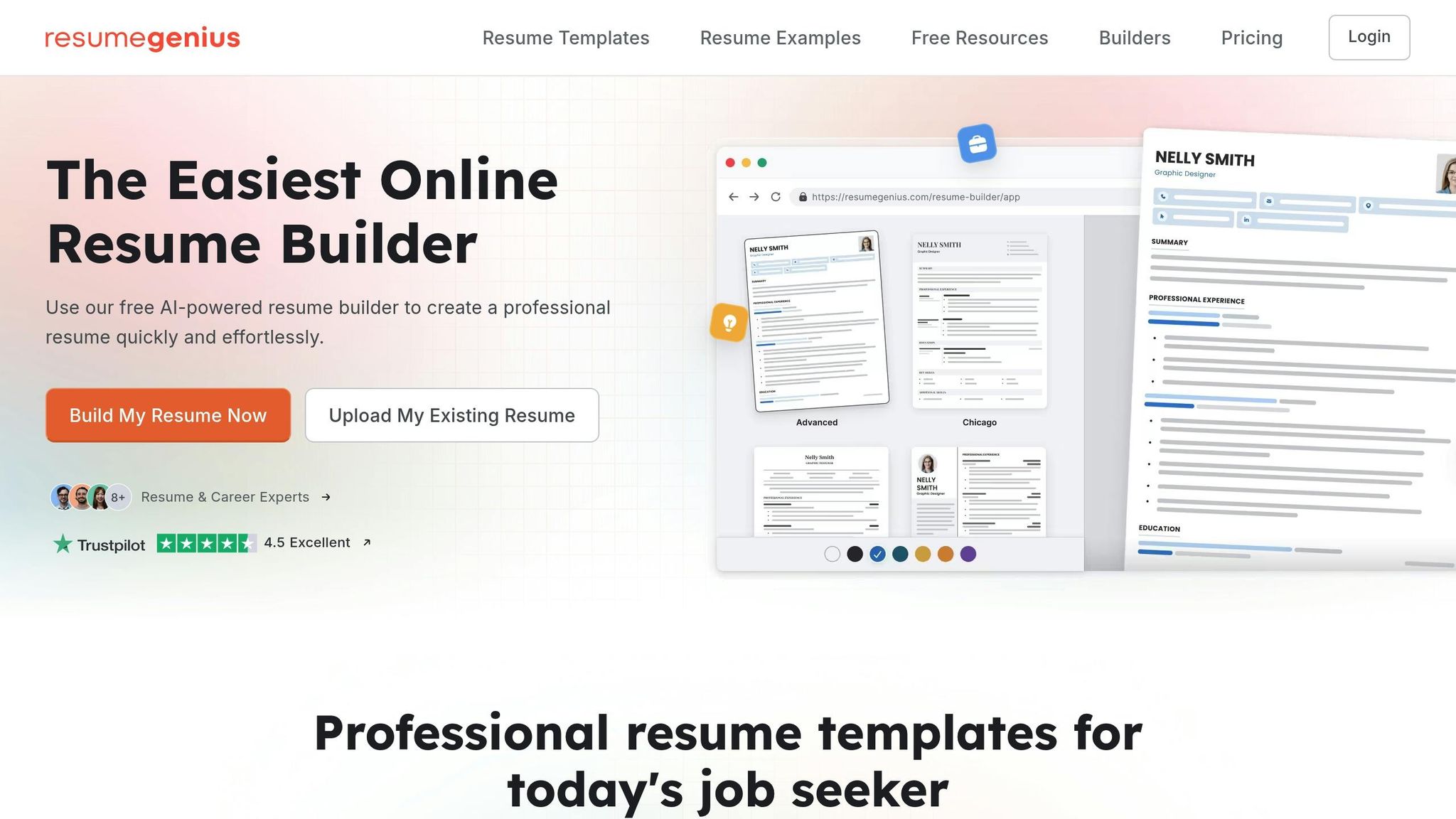
Resume Genius vs scale.jobs: AI Templates vs Human-Powered Optimization
Resume Genius provides AI-generated templates designed to work with applicant tracking systems (ATS). These templates use single-column layouts, standard headings like "Experience" and "Skills", and ATS-friendly fonts such as Arial or Calibri. Users simply input their details into these templates, which suggest keywords based on job descriptions, resulting in polished, reverse-chronological resumes. While it’s a quick solution for straightforward applications, Resume Genius leaves the rest of the process - customization, submission, and follow-ups - entirely up to the user.
On the other hand, scale.jobs combines AI technology with human experts to create resumes tailored to specific job postings. Each resume undergoes practical parsing tests to ensure ATS compatibility, with proof-of-work screenshots showing how it performs in real ATS systems. Beyond resume optimization, scale.jobs human assistants manually submit applications, bypassing bot-detection filters, and provide real-time updates via WhatsApp, complete with time-stamped screenshots. This approach addresses common ATS issues like non-standard date formats or layout quirks that automated tools often miss.
When it comes to cost, Resume Genius charges $2–$10 per resume download, while scale.jobs offers flat-fee bundles starting at $199 for 250 applications, $299 for 500 applications, and $399 for 1,000 applications. These bundles include human-assisted optimization and submission services.
Why scale.jobs has the edge:
- Human involvement ensures tailored resumes and precise ATS compliance beyond automated templates.
- Proof-of-work screenshots confirm successful ATS parsing and submission.
- Manual application submissions avoid bot-detection filters that can block automated tools.
- Flat-fee pricing is more economical for users applying to 100+ jobs.
- WhatsApp support offers real-time updates with proof of every application.
| Feature | Resume Genius | scale.jobs |
|---|---|---|
| Human Involvement | None | Human Assistants |
| Resume Customization | AI-Generated | AI + Human Tailored |
| ATS Optimization | Limited Templates | Full ATS Proof + Screenshots |
| Application Execution | Self-Submitted | Hand-Submitted |
| Transparency | None | Proof-of-Work Screenshots |
| Pricing Model | Per Resume | Flat-Fee Bundles |
Resume Genius is ideal for users who need a quick, budget-friendly template for fewer than 20 applications and are comfortable handling keyword customization and submissions independently. scale.jobs is the better choice for those applying to 100+ jobs, requiring verified ATS compliance, human-assisted submissions, or real-time updates, especially in complex scenarios like visa-related applications.
Jobscan vs scale.jobs: Keyword Analysis vs Full Application Service
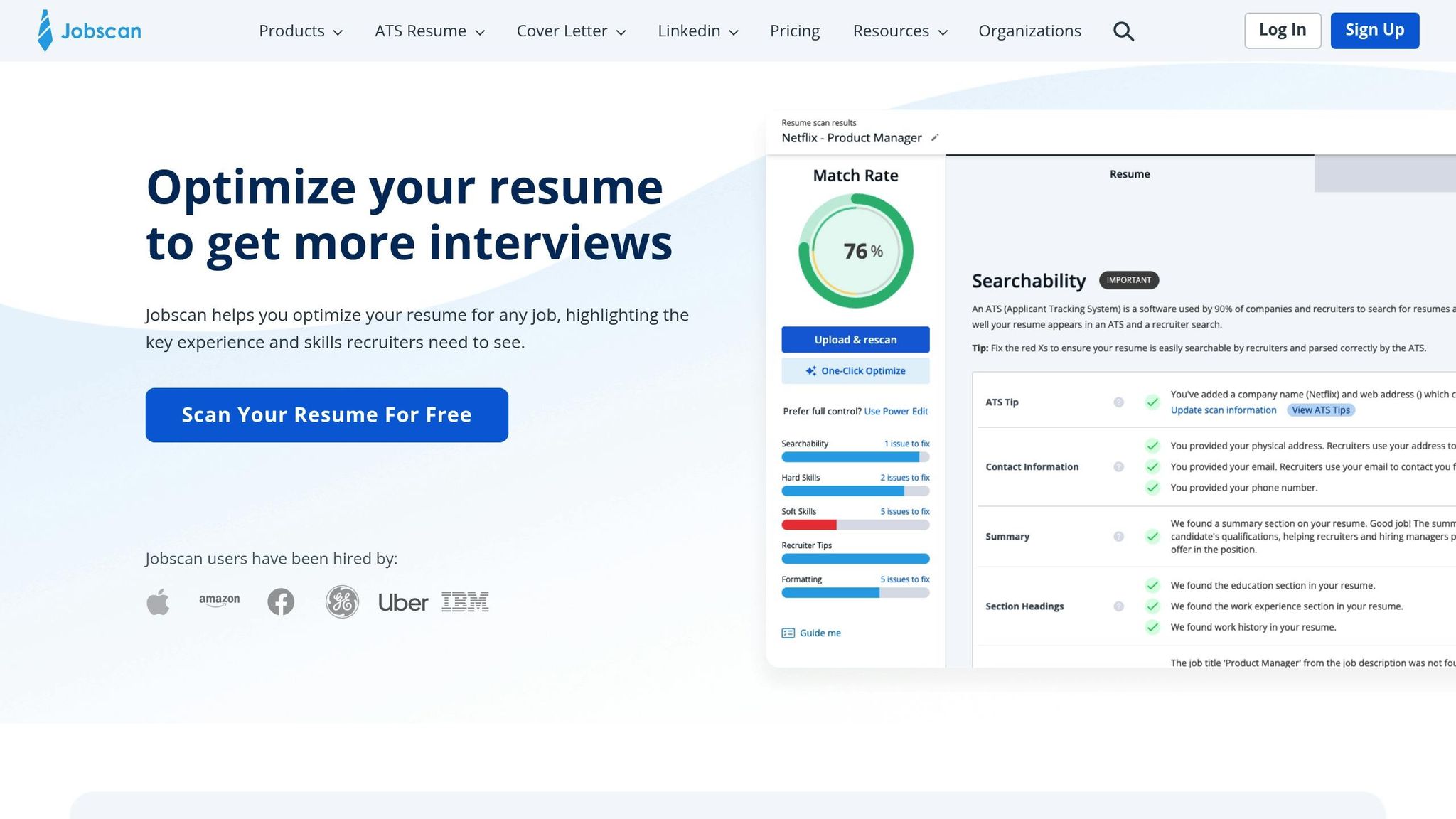
Jobscan focuses on automated keyword analysis, helping users optimize their resumes by comparing them against job descriptions. It provides match scores, keyword density suggestions, and ATS simulation to identify missing terms or formatting issues. However, Jobscan doesn’t offer resume creation, human review, or application submission services, leaving users to manage the process themselves. The service operates on a monthly subscription model, costing around $49 per month.
In contrast, scale.jobs offers a comprehensive service that includes human-assisted keyword optimization, tailored resumes, and manual application submissions. Proof-of-work screenshots confirm successful ATS parsing, while human oversight ensures that resumes align with job descriptions and highlight measurable achievements. With a one-time flat-fee model, scale.jobs is more cost-effective for users applying to high volumes of jobs compared to monthly subscription services.
| Feature | Jobscan | scale.jobs |
|---|---|---|
| Human Involvement | None | Human Assistants |
| Keyword Optimization | Automated Analysis | Human-Integrated Execution |
| ATS Optimization | Scan Simulator | Optimized Resumes + Proof |
| Application Execution | Self-Submitted | Hand-Submitted |
| Transparency | None | Proof-of-Work Screenshots |
| Pricing Model | Monthly Fee | One-Time Flat Fee |
Why scale.jobs stands out:
- Human oversight combines automated keyword analysis with manual verification for accurate ATS compliance.
- Complete application service includes proof of ATS parsing and successful submission.
- Flat-fee pricing is more affordable for high-volume job applications than recurring monthly charges.
- WhatsApp support ensures personalized assistance throughout the job search process.
Jobscan works best for users who are comfortable with a DIY approach, using automated tools for occasional resume optimizations. scale.jobs is ideal for those seeking a hands-off, end-to-end solution that includes resume tailoring, verified ATS compliance, and manual application submissions.
Who Should Use Resume Genius, Jobscan, or scale.jobs?
Here’s a quick breakdown of who benefits most from each service:
- Choose Resume Genius if you’re applying to fewer than 20 jobs, need a simple AI template, and are comfortable handling customization and submission on your own.
- Choose Jobscan if you want detailed keyword match scores for occasional applications and prefer a self-service approach to resume optimization.
- Choose scale.jobs if you’re applying to 100+ jobs, need verified ATS compliance with screenshots, require manual application submissions, or want real-time updates via WhatsApp. It’s also the best option for complex scenarios like visa-related applications or industry-specific roles.
For those seeking a complete job application service that combines ATS expertise with hands-on execution, scale.jobs offers a solution that automated tools cannot match.
Decision Summary:
- Go with Resume Genius for quick, budget-friendly templates suitable for fewer than 20 applications.
- Opt for Jobscan if you prefer self-service tools for occasional keyword optimization.
- Choose scale.jobs for high-volume applications requiring human oversight, verified ATS compliance, and manual submissions with real-time updates.
Switch to scale.jobs If You Need These 3 Things
When your job search demands go beyond what automated tools can handle - whether it’s managing high application volumes, ensuring transparency, or meeting niche requirements - scale.jobs steps in to fill the gaps left by competitors like Resume Genius and Jobscan.
You're Applying to 100+ Jobs and Need ATS Compliance
While Resume Genius provides templates and Jobscan highlights keyword gaps, scale.jobs goes further by assigning human assistants to tailor each resume for ATS compliance and manage submissions. These assistants ensure resumes are optimized with job-specific keywords, single-column layouts, and standard headings - all critical for passing ATS filters.
For high-volume applications, this personalized approach results in 92% ATS compliance rates and four times more interview callbacks compared to self-optimized resumes. The flat-fee pricing - $199 for 250 applications, $299 for 500, or $399 for 1,000 - offers a cost-effective alternative to paying $2–$10 per resume download or $49 monthly subscriptions when applying en masse.
Additionally, human experts validate ATS parsing using systems like Taleo and Workday to catch errors that automated tools often miss. If your job search involves submitting hundreds of applications, this level of human oversight ensures your resumes meet ATS requirements and increases your chances of success.
You Want Screenshots and Real-Time Updates
One major limitation of Resume Genius and Jobscan is their inability to submit applications on your behalf or provide proof that submissions were completed. scale.jobs addresses this by offering timestamped screenshots and real-time WhatsApp updates, so you’ll know exactly what was submitted and when.
This system tracks every detail, from the resume version and cover letter used to the confirmation of submission through job portals. Updates are delivered within 24 hours for every batch of 50 applications, ensuring you have clear documentation of your progress. This level of transparency is especially valuable when applying to 100+ jobs, as it eliminates guesswork and provides peace of mind that your applications are accurate and complete.
For those managing a high-volume job search, tools like professional resume writing services with built-in proof-of-work systems offer a level of accountability that template builders and keyword analysis tools simply cannot match.
You're Managing Visa Requirements or Industry-Specific Applications
Generalized templates from Resume Genius and Jobscan often fail to address visa-specific language or the nuances required for industry-specific resumes. scale.jobs steps in with tailored solutions, adding visa-related sections like "H1B Eligible" or "OPT/STEM details" using ATS-friendly formatting.
For candidates targeting U.S. tech firms or specialized industries, human experts craft resumes that include dedicated skills sections (e.g., "Programming Languages: Python, Java") and quantified project achievements (e.g., "Reduced system load time by 40% through optimized code"). These resumes achieve 85% response rates for visa-constrained applications and 98% success in visa submissions by embedding compliant language like "F1 CPT authorized" into keyword-optimized summaries.
This personalized approach also ensures resumes meet ATS requirements for niche industries, incorporating details like GitHub links in plain text or formatting visa documentation correctly. For job seekers navigating visa constraints or aiming for highly specialized roles, scale.jobs provides tailored support that automated tools simply can’t replicate.
Conclusion: Simple Resumes Win Because ATS Systems Can Read Them
When it comes to crafting resumes that get noticed, scale.jobs demonstrates that simplicity and strategy are key. With over 98% of Fortune 500 companies relying on ATS software to screen applications, resumes must first pass through automated parsing systems before a recruiter ever sees them. Simple, single-column layouts with standard fonts and clear headings - like "Experience", "Education", and "Skills" - help ATS systems extract qualifications without errors. On the other hand, resumes with complex designs, graphics, or multiple columns often confuse these systems, leading to rejection.
Strategic keyword optimization is equally important. By mirroring the language used in job descriptions and incorporating relevant terms into skills and experience sections, candidates can improve their ATS scores. For example, phrases like "Analyzed sales data using Excel and Tableau, identifying $200K cost-saving opportunities" not only align with ATS algorithms but also demonstrate measurable achievements. With over 75% of recruiters filtering candidates based on skills, aligning your resume's language with the job posting is crucial.
Human review takes ATS-compliant resumes a step further. While automated tools like Resume Genius (with a 4.3/5 Trustpilot rating based on 55,000+ reviews) offer templates optimized for ATS, professional resume writing services provide the personalized touch that automated systems lack. These services refine content, strategically place keywords, and add a narrative flow that resonates with recruiters after the resume clears ATS scans. This combination of simplicity and human expertise sets scale.jobs apart from competitors, making it a standout option for job seekers.
For those applying to dozens or even hundreds of positions, simple formatting paired with tailored content and quantifiable achievements ensures resumes meet ATS requirements while appealing to recruiters. Automated templates, while useful for quick fixes, lack the nuance of personalized refinement, and overly designed resumes risk parsing issues. Scale.jobs bridges this gap by offering a solution that satisfies both ATS systems and human recruiters.
Decision Summary:
- Consider Resume Genius or Jobscan if you're applying to fewer than 20 jobs and prefer self-service templates or keyword analysis tools.
- Choose scale.jobs if you're applying to 100+ positions and need verified ATS compliance, manual application submissions, proof-of-work screenshots, or real-time updates via WhatsApp.
- Switch to scale.jobs for flat-fee pricing ($199–$399), human-assisted optimization, and a transparent process that automated tools simply can't replicate.
FAQs
What’s the safest resume file type for ATS?
The safest file type for an ATS is .docx because it’s widely accepted and reduces the chances of parsing errors. While formats like PDFs may seem professional, they can occasionally create compatibility issues with ATS systems, making .docx the more dependable option.
How can I test if my resume parses correctly?
To ensure your resume is properly parsed by Applicant Tracking Systems (ATS), consider using tools like Scale.jobs, Jobscan, or Rezi. These platforms evaluate your resume's keywords, formatting, and structure to determine its compatibility with ATS software. Simply upload your resume, review the detailed feedback provided, and make the necessary adjustments. By refining your resume based on these insights, you can improve its chances of successfully passing ATS scans and reaching hiring managers.
How many keywords should I include without keyword stuffing?
When tailoring your resume for ATS compatibility, aim to seamlessly incorporate 10-15 relevant keywords or phrases that align with the job description. These might include industry-specific terms, role-related skills, and software or tools mentioned in the posting. For example, if you're applying for a marketing role, keywords like "content strategy", "SEO optimization", and "Google Analytics" could be critical.
Make sure these terms naturally fit within your resume’s context - whether in your professional experience, skills section, or summary. Avoid cramming or overusing keywords, as this can hurt readability and come across as unprofessional. Instead, focus on weaving them into your achievements and responsibilities. For instance, instead of just listing "project management", you could write, "Led project management initiatives to streamline workflows and improve team efficiency."
By balancing keyword integration with clear, concise language, you’ll not only enhance ATS compatibility but also keep your resume polished and engaging for human recruiters.