Resume Mistakes That Are Costing You Interviews
Fix ATS formatting, mirror job keywords, and add measurable achievements so your resume passes systems and grabs recruiters' attention.


If you’re not getting interviews despite applying for jobs, your resume might be the issue. Here’s why:
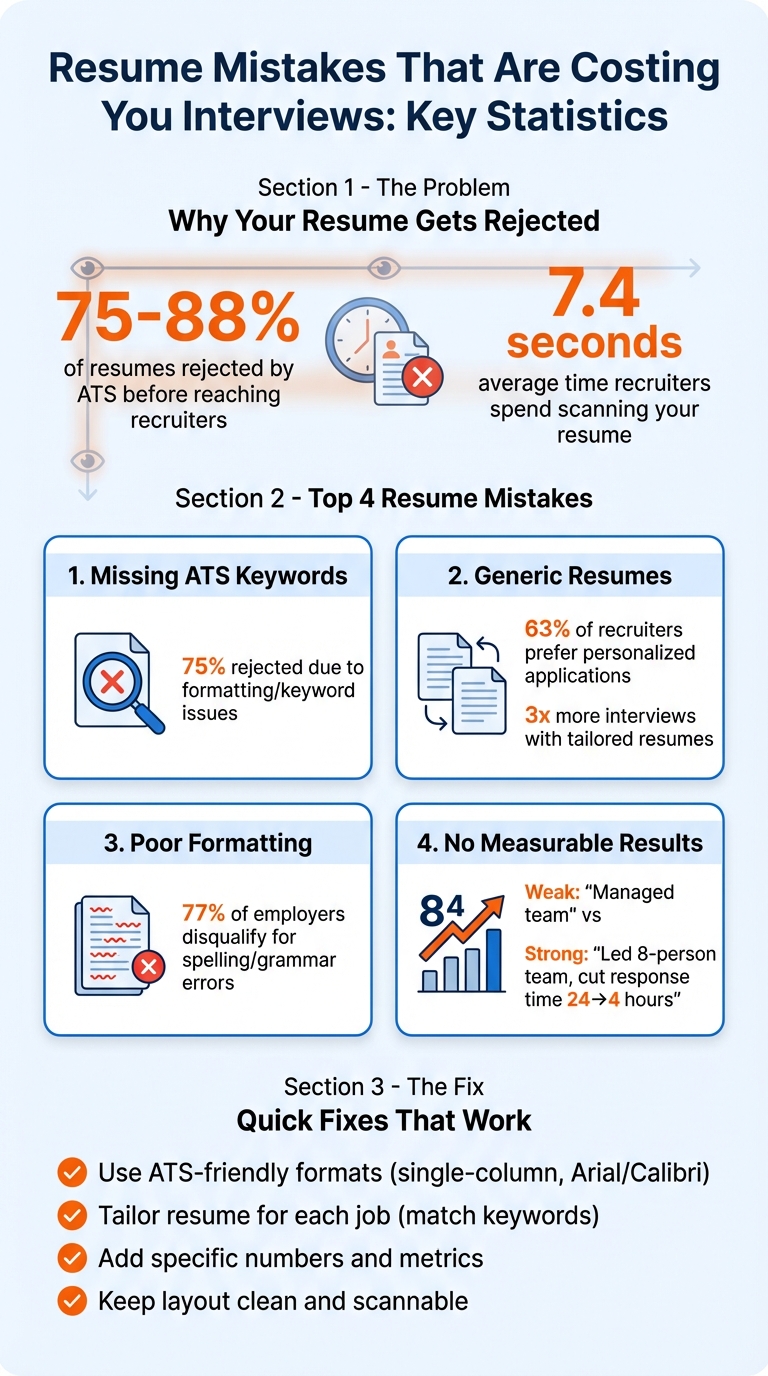
- 75%-88% of resumes are rejected by Applicant Tracking Systems (ATS) before reaching recruiters due to missing keywords or improper formatting.
- Recruiters spend 7.4 seconds scanning resumes, so cluttered layouts, hidden achievements, or irrelevant details can lead to rejection.
- Common mistakes include generic resumes, unclear layouts, and lack of measurable results.
To fix this:
- Use ATS-friendly formats: Stick to simple, single-column layouts with standard fonts like Arial or Calibri.
- Tailor your resume for each job: Match keywords and skills from the job description.
- Highlight measurable achievements with real-life examples: Use numbers to show your impact, like “Increased sales by 32%.”
Tools like scale.jobs can help optimize your resume with free ATS checkers, AI-driven customization, and even human assistants to manage applications. Don’t let small errors hold you back - update your resume to stand out.
Resume Rejection Statistics and Key Mistakes Costing You Interviews
These Resume Mistakes Are Costing You Job Interviews
Once you've fixed these errors, ensure you're ready for the next stage with job interview preparation tips.
Resume Mistakes That Get You Rejected
Understanding why resumes get rejected can help you avoid common pitfalls and improve your chances of landing an interview. Here’s a closer look at the missteps that often lead to missed opportunities.
Missing ATS Keywords and Formatting
One of the top reasons resumes fail is due to missing keywords or formatting issues that confuse Applicant Tracking Systems (ATS). For instance, if a job description asks for "Agile methodology" and "stakeholder management", but your resume only mentions "project coordination" or "team leadership", the ATS might deem you a poor match.
Formatting is another stumbling block. Multi-column designs, text boxes, or creative section titles like "My Journey" or "Superpowers" can mislead ATS software, making your resume unreadable. Even placing your contact information in headers or footers can result in it being ignored. Use standard section titles like "Experience" and "Skills" to ensure your resume is correctly processed.
"A beautiful resume that an ATS can't read is effectively worse than a plain one." - GoApply
Keyword stuffing is another trap to avoid. Overloading your resume with repeated terms or irrelevant buzzwords can trigger spam filters and hurt your chances. Professional resume writers agree that failing to include the right keywords from the job description is the most critical mistake candidates make.
Using the Same Resume for Every Job
A one-size-fits-all resume is a quick path to rejection. 63% of recruiters prefer personalized applications, yet many job seekers rely on a single generic resume for all their applications. This approach makes it harder to stand out, especially when competing against candidates who tailor their resumes to match each job description.
For example, if a job posting emphasizes "customer retention strategies" but your resume only mentions "account management", you’re likely to be overlooked - even if your experience aligns. ATS systems and recruiters prioritize resumes that reflect the specific language and skills outlined in the job posting.
"The worst thing a job seeker can do is use a single resume for all of their job searches. One-size-fits-all is never a winning approach." - TalentEd
Customizing your resume for each application shows genuine interest in the role and can lead to an average 3x increase in interview invitations compared to using a generic resume.
Confusing Layout and Hard-to-Read Format
Recruiters typically scan resumes in an "F" pattern, focusing on the top half, job titles, and dates. Dense paragraphs, inconsistent formatting, or unusual fonts can make it difficult for them to locate key information during their 7.4-second initial review.
Small fonts, overcrowded text, and inconsistent date formats can signal a lack of attention to detail. 77% of employers disqualify candidates for spelling or grammar errors, and poor formatting often falls into the same category.
Stick to clean, professional layouts with standard fonts like Arial or Calibri (10–12pt). Avoid decorative fonts, magazine-style templates, and excessive icons or graphics. Simple bullet points and clear headings ensure your resume is easy to read for both humans and software.
No Numbers or Measurable Results
Generic statements like "Managed social media accounts" fail to convey your contributions. Adding metrics and measurable results transforms these statements into compelling achievements with real-life examples. For example, "Grew Instagram following from 2,500 to 18,000 followers in six months, resulting in a 45% increase in website traffic" immediately highlights your impact.
Even if you don’t have sales figures, consider quantifying your team size, response times, or efficiency improvements. Numbers help recruiters understand the scope and scale of your contributions.
| Weak Bullet Point | Strong Bullet Point with Numbers |
|---|---|
| Managed customer service team | Led 8-person customer service team, cutting response time from 24 to 4 hours |
| Improved sales performance | Increased quarterly sales by 32% ($450,000 to $594,000) through targeted outreach campaigns |
| Handled social media marketing | Grew LinkedIn company page from 800 to 5,200 followers in 9 months, generating 120+ qualified leads |
How to Fix These Resume Mistakes
Identify errors in your resume and make the necessary updates to ensure it passes ATS checks and stands out to recruiters.
Making Your Resume ATS-Compatible
Begin by sticking to standard section headings like "Work Experience", "Education", "Skills", and "Certifications." Avoid unconventional labels such as "My Journey" or "Superpowers", as 75% of resumes are rejected by Applicant Tracking Systems (ATS) due to formatting or categorization issues.
Opt for a single-column layout with professional fonts like Arial, Calibri, or Georgia. Use font sizes between 10–12 pt for the main text and 14–16 pt for headings. Avoid using tables, columns, or custom icons, as these can confuse ATS software. Save your resume as a .docx or text-based PDF - formats like scanned images or JPGs are not ATS-friendly.
Ensure your contact details are in the main body of the document rather than in headers or footers, as some ATS systems may skip over those areas. Keep margins between 0.5–1 inch for readability.
Analyze the job description to identify 5–10 key terms and integrate them naturally into your resume. For example, instead of listing "Salesforce", provide context: "Designed Salesforce dashboards that cut reporting time by 4 hours weekly." Avoid overloading your resume with keywords without context - 86% of resume professionals identify this as a common mistake.
Once your resume is ATS-friendly, focus on customizing it for each role you apply for.
Tailoring Your Resume to Each Job Posting
Copy the job description into a separate document and highlight keywords related to skills, tools, and outcomes. Match your resume headline and summary to the language used in the job description. For instance, if the role specifies "Senior Data Analyst", use that exact title instead of a broad term like "Data Professional."
Revise 3–6 bullet points in your most recent work experience to emphasize achievements that address the employer's needs. Candidates who tailor their resumes report an average threefold increase in interview invitations compared to those using generic resumes. Place your most relevant skills and accomplishments at the top to grab attention during the 7.4-second average resume scan by recruiters.
Remove outdated skills and irrelevant positions. Use the "Action + Metrics + Business Impact" formula to make your achievements stand out. For example: "Boosted quarterly sales by 32% ($450,000 to $594,000) through targeted outreach campaigns."
"A resume isn't an exhaustive work history - it's a strategic marketing document." - Resume.AI
With tailored content in place, focus on creating a clean and organized format to enhance readability.
Creating a Clean, Easy-to-Read Layout
Follow a reverse chronological order, starting with your most recent role. This format is widely accepted and helps recruiters quickly assess your current experience. Use single or 1.15 line spacing to avoid overwhelming the reader with dense text.
Limit job descriptions to 3–8 bullet points per position. Avoid paragraphs, as they are harder to skim and may be overlooked. Maintain consistency in dates, locations, and bullet styles to show attention to detail. Errors in spelling, grammar, or formatting can lead to disqualification - 77% of employers consider these mistakes deal-breakers.
Save your resume with a professional file name like "Firstname-Lastname-Resume.pdf" instead of a generic title like "Resume.pdf." Recruiters often scan resumes in an "F" pattern, focusing on the top third of the page, job titles, and company names. Place your most important details in these areas to make an impact.
Adding Specific Numbers and Results
Turn vague claims into measurable outcomes by including specific data. Instead of saying "Managed customer service team", write "Led 8-person customer service team, reducing response time from 24 to 4 hours." Even if you lack sales figures, you can quantify results using team sizes, efficiency improvements, or cost reductions.
Use this structure: Action verb + specific metric + business outcome. For example: "Grew LinkedIn company page from 800 to 5,200 followers in 9 months, generating 120+ qualified leads." Numbers make your achievements more tangible and memorable.
When listing technical skills, provide examples of their application. For instance, "Increased sales by 20% using HubSpot CRM" is far more compelling than just mentioning "HubSpot" in a skills section. Quantifying your contributions helps recruiters quickly grasp the scope of your impact.
How scale.jobs Helps You Fix Resume Mistakes
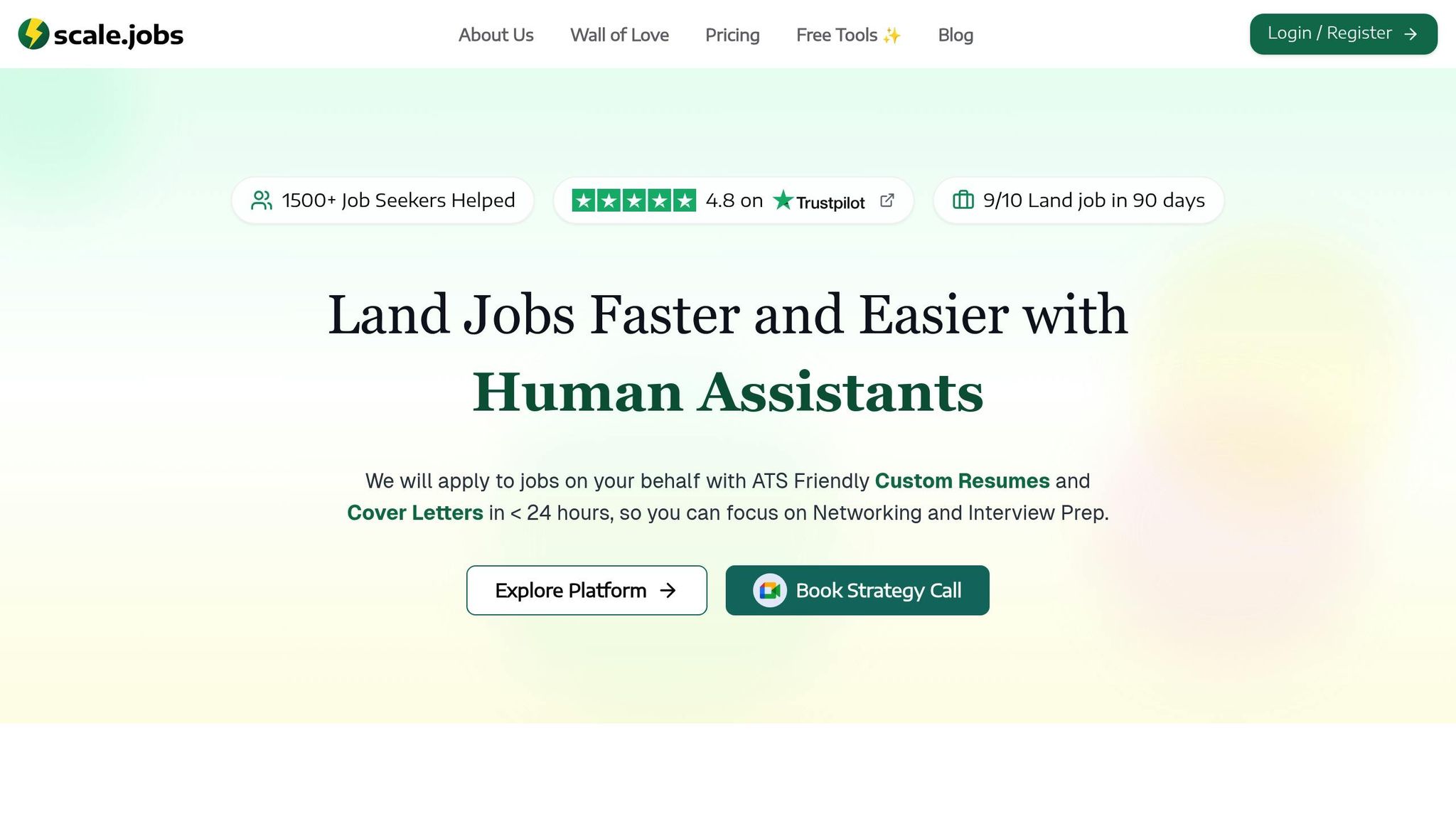
When it comes to resume tools, many platforms - like Jobscan - either rely entirely on automation or leave you to tackle the process solo. scale.jobs strikes a balance by blending a free ATS optimization tool, AI-driven personalization, and a team of human assistants who manage your applications from start to finish, complete with proof-of-work screenshots. These features make scale.jobs a standout choice compared to competitors.
Free ATS Resume Checker and Builder
scale.jobs offers a free ATS resume checker that goes beyond simply flagging issues. It provides detailed, actionable feedback to fix formatting problems, missing keywords, and readability concerns. For example, it might suggest moving contact details out of headers, switching from a two-column to a single-column layout, or replacing custom section titles with standard headings like "Work Experience."
The platform also includes an ATS-compliant resume builder that creates up to two base resumes for free. It uses recommended fonts like Arial, Calibri, or Georgia, ensures proper margins (0.5–1 inch), and sticks to a clean single-column design. You can save your resume as a .docx or text-based PDF, both tailored to pass ATS requirements. Additionally, the builder includes tools to track job applications and manage networking efforts, streamlining your entire job search process.
AI-Generated Custom Resumes for Each Job
Once your resume meets ATS standards, scale.jobs takes it a step further with AI-powered customization. The AI Assistant Pro (available for $9/month, discounted from $19/month) generates job-specific resumes and cover letters in just 24 hours. All you need to do is paste a LinkedIn job link or copy the job description, and the AI analyzes the required skills, keywords, and metrics to craft a tailored version recruiters are looking for.
The AI Assistant also helps with job application questions and even prepares responses for interview prompts based on your experience. All these customized materials are stored in a single dashboard, making it easy to access and manage them.
Human Assistants Who Handle Your Applications
What truly sets scale.jobs apart is its team of Human Assistants. They take over the entire application process, from creating ATS-friendly resumes to manually filling out application forms. Unlike automated bots - which are often flagged by ATS systems - these assistants handle each application by hand, ensuring higher acceptance rates. You also receive real-time WhatsApp updates and proof-of-work screenshots for every application submitted.
Pricing for this service starts at $199 for 250 applications, $299 for 500 applications, and $399 for 1,000 applications. Additional options include personal recruiters, resume reviews, and LinkedIn profile makeovers. Plus, scale.jobs offers refunds for unused credits, so you only pay for the applications that are actually submitted. By outsourcing these repetitive tasks, you can save over 20 hours a week - time you can dedicate to networking or interview preparation.
scale.jobs vs Jobscan: Why You Should Switch
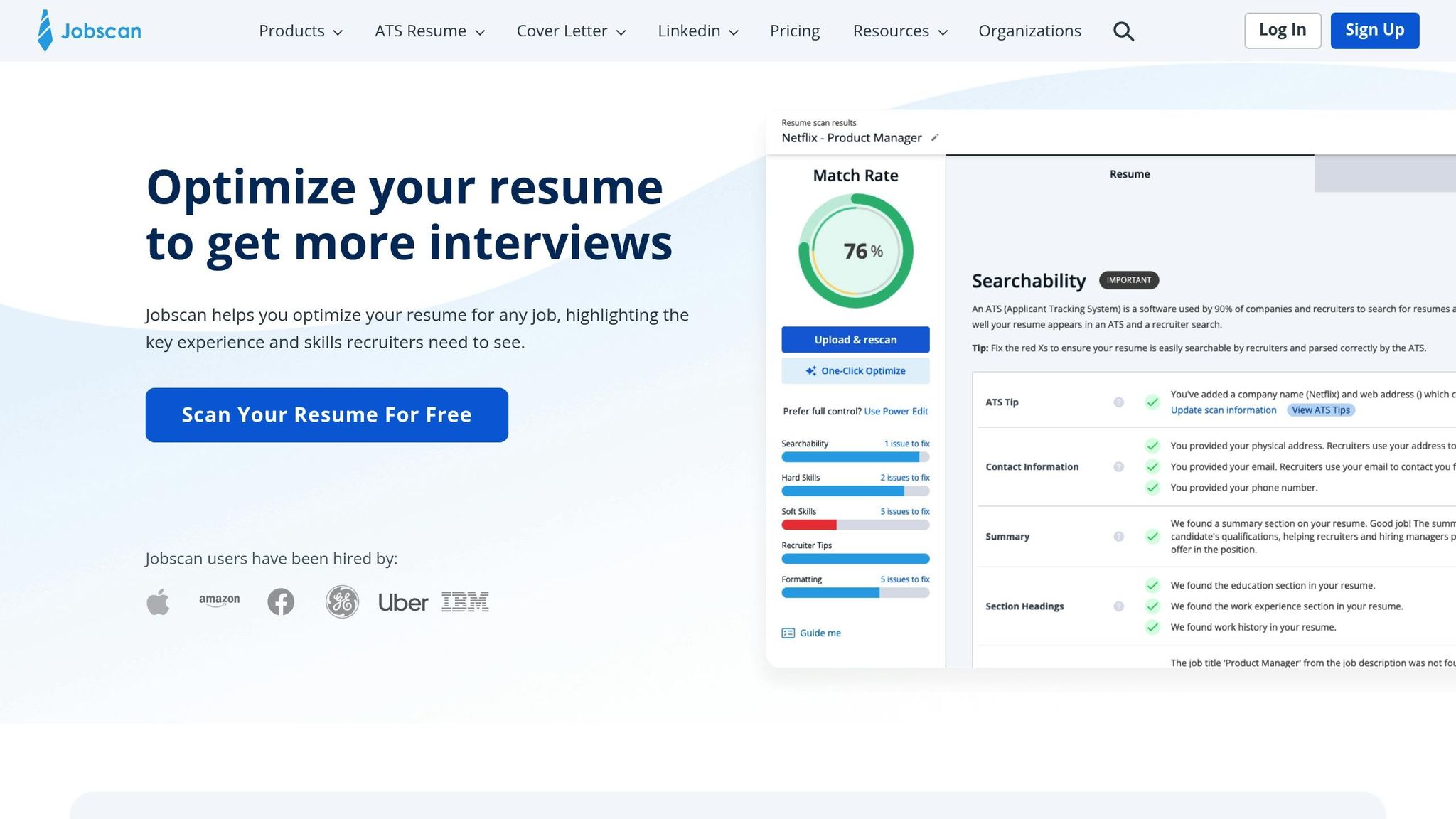
Here’s how scale.jobs outshines Jobscan and similar tools:
- Comprehensive support: scale.jobs combines free ATS tools, AI customization, and human oversight - features missing from Jobscan.
- AI-driven personalization: The AI Assistant Pro delivers unlimited, tailored resumes and cover letters within 24 hours, eliminating the hassle of constant manual revisions.
- Human touch: Human Assistants manually handle applications, avoiding bot-related issues and improving acceptance rates.
- Transparency: Real-time WhatsApp updates and proof-of-work screenshots provide clear insights into your job search progress.
- Flexible pricing: Flat-fee options for Human Assistant services let you save time without committing to recurring subscriptions.
With these features, scale.jobs ensures your resume not only avoids common mistakes but also stands out in a competitive job market.
Conclusion: Fix Your Resume and Get More Interviews
Even small resume mistakes can cost you interview opportunities. To improve your chances, focus on fixing formatting issues, highlighting measurable achievements, and tailoring your resume for each job application.
Scale.jobs takes these essential steps further by combining free ATS-friendly tools, AI-driven customization, and virtual assistant support to optimize your job applications. They hand-submit each application, provide real-time updates via WhatsApp, and share proof-of-work screenshots to ensure transparency. Plus, unused credits are refunded, giving you full control over your investment.
If you're struggling with keyword optimization, spending too much time reformatting, or not hearing back from employers, scale.jobs offers the tools and expertise to help you stand out. Start with their free ATS checker to pinpoint problem areas, and let their AI and human experts transform your resume into one that gets noticed. Don’t let avoidable errors hold you back - update your resume today and increase your chances of landing interviews.
FAQs
How can I make sure my resume is optimized for ATS systems?
To ensure your resume is compatible with ATS (Applicant Tracking Systems), stick to a straightforward and clean layout. Avoid using tables, images, or uncommon fonts, as these elements can disrupt how the system reads your resume. Instead, focus on incorporating keywords directly from the job description to align with the role's requirements. Use clear section headings such as Work Experience and Education to make your resume easy to navigate.
For each job application, customize your resume to reflect the specific job description. Follow US spelling conventions and aim to keep your resume concise - ideally one page, unless you have a long history of relevant experience. Steer clear of overly creative designs or AI-generated content, as these may not work well with ATS software. A simple, well-structured resume is more likely to pass ATS screening and catch the attention of recruiters.
Why should I customize my resume for every job application?
Customizing your resume for each job application is crucial because it highlights why you’re an excellent match for the specific role. By adjusting your resume to align with the job description, you can spotlight the skills, experiences, and accomplishments that are most relevant, making it easier for hiring managers to immediately recognize your potential.
Additionally, tailoring your resume helps you navigate Applicant Tracking Systems (ATS) effectively. These systems are designed to scan for keywords from the job posting, so incorporating them increases the chances of your resume reaching an actual recruiter. In the end, this effort not only shows genuine enthusiasm for the role but also significantly raises your odds of securing an interview.
What are the advantages of using scale.jobs for improving your resume?
Using scale.jobs for resume optimization brings several clear advantages. First, they specialize in creating resumes designed to pass ATS (Applicant Tracking Systems), which can often filter out applications with formatting issues or missing keywords. Second, their service includes human assistance to tailor your resume for specific job postings, increasing its relevance and appeal - an essential factor when recruiters typically spend only a few seconds scanning resumes.
Another highlight is their one-time payment model, which can be a budget-friendly alternative to subscription-based options. Added to this is their dedicated WhatsApp support, offering personalized help throughout the process, and their proof-of-work transparency, which allows you to see exactly how your resume has been enhanced. These features combine to deliver a resume that's polished, professional, and designed to stand out to both ATS systems and hiring managers.