How to Add LinkedIn Learning Skills to Resumes
Pick 3–5 relevant LinkedIn Learning certificates, match job keywords for ATS, and turn course skills into measurable resume bullets.


LinkedIn Learning certifications can boost your resume by showcasing job-relevant skills and improving your visibility with recruiters and ATS (Applicant Tracking Systems). Here's how you can effectively add them:
- Focus on Relevance: Highlight 3–5 certifications that align with the job you're applying for.
- Match Job Keywords: Use exact phrases from job descriptions (e.g., "Python for Data Science") to optimize for ATS systems.
- Organize Strategically:
- Skills Section: List technical skills like Python, SQL, or Excel paired with certificates.
- Certifications Section: Include course titles and completion dates in a clean format.
- Projects/Experience: Showcase how you've applied these skills with measurable results.
- Use Tools for Optimization: Tools like scale.jobs can help refine your resume for ATS and recruiter visibility.
Do THIS to Turn Online Courses into Job Offers LinkedIn & Resume Guide
Finding the Right LinkedIn Learning Skills for Your Resume
To make LinkedIn Learning certificates stand out, it’s all about being selective. Focus on 3–5 certificates that directly align with the job you’re targeting. This way, your resume stays sharp and relevant, giving hiring managers exactly what they’re looking for without overwhelming them.
Matching Skills to Job Postings
Begin by studying job descriptions on platforms like Indeed, LinkedIn, or scale.jobs. Pay attention to the tools, software, and methodologies that pop up repeatedly. For example, if a listing mentions Salesforce or Google Analytics, search for LinkedIn Learning courses that cover those areas. A marketing coordinator role might call for certificates in Social Media Marketing or Content Strategy, while a data analyst position could highlight SQL for Data Analysis or Python Statistics Essential Training. Using the same phrases from the job description ensures your resume aligns with ATS (Applicant Tracking System) keywords.
Think about the industry too. Tech startups might value Agile Management, whereas finance roles often prioritize Financial Modeling or Advanced Excel. Stick to certificates earned within the past 12–18 months to show you’re up to date.
Next, it’s important to organize these skills - separating technical abilities from soft skills can make a big difference.
Separating Technical Skills from Soft Skills
Place technical skills like Python, SQL, Advanced Excel, or Salesforce in your Skills section. This is where recruiters and ATS systems focus first, and these skills are essential for passing the initial screening. On the other hand, soft skills belong in sections like Certifications or Professional Development, where they can enhance your profile without cluttering your technical expertise.
"Hard skills get you the interview but soft skills get you the job." - Bruce M. Anderson, Content Marketer and Writer, LinkedIn
When listing soft skills, be specific. Instead of a generic term like “Communication,” break it down into areas like Executive Comms, Copywriting, or Internal Comms to better showcase your strengths. According to LinkedIn data, members who highlight both hard and soft skills tend to get promoted 8% faster than those who only focus on technical abilities.
This clear distinction between hard and soft skills sets the foundation for using LinkedIn Learning to address any gaps in your resume.
Using LinkedIn Learning to Fill Resume Gaps
LinkedIn Learning can be a game-changer for recent graduates, career changers, or those impacted by layoffs. If you’re moving from retail to project management, courses like Project Management Foundations or Agile Fundamentals can help establish credibility in your new field. International job seekers can also demonstrate knowledge of U.S. business practices by completing courses such as Business Writing Principles.
If you’ve taken multiple related courses, consider grouping them into a "Certificate Series" to keep your resume clean and cohesive. For example, instead of listing Python Essential Training, Python Statistics Essential Training, and Advanced Python separately, combine them into a single entry like Python Programming Certificate Series. This not only saves space but also highlights a focused learning path, reinforcing your commitment to mastering a specific skill set.
Where to Put LinkedIn Learning Credentials on Your Resume
Highlighting your LinkedIn Learning credentials on your resume can make a strong impression - if you position them correctly. The placement depends on your career stage and how closely the skills align with the job you're targeting. For recent graduates or those transitioning into a new field, these credentials should appear prominently near the top. For seasoned professionals, they can be placed further down. Let’s explore how to organize these credentials effectively across different resume sections.
Skills Section: Highlighting Course-Backed Expertise
The Skills section is where your technical abilities take center stage. This is also a key area for Applicant Tracking Systems (ATS) to scan for relevant keywords. Include hard skills like Python, SQL, Advanced Excel, or Salesforce, and pair them with LinkedIn Learning credentials to add credibility. For example:
"Advanced Excel – certified by LinkedIn Learning: expert in pivot tables"
This format not only highlights your proficiency but also emphasizes the formal training behind it.
Stick to 8–12 specific skills that align with the job description. Avoid vague terms like "Data Analysis" and opt for more detailed phrases such as "SQL for Data Analysis" or "Python Statistics." This level of specificity helps you stand out in ATS scans and gives hiring managers a clearer understanding of your capabilities.
Certifications Section: Featuring Course Titles and Dates
The Certifications section is perfect for showcasing LinkedIn Learning courses that directly relate to the job. Use a clean, ATS-friendly format like this:
Course Title, LinkedIn Learning, Completion Date
For example:
"Advanced Excel Formulas for Business, LinkedIn Learning, March 2024"
If you’re a recent graduate or switching careers, place this section near the top of your resume. For those with extensive professional experience, it can go toward the bottom. Limit this section to 3–5 certificates, focusing on courses completed in the last 12–18 months to demonstrate up-to-date expertise. If you’ve taken multiple related courses, group them under a single entry to keep things concise.
Projects and Experience Sections: Demonstrating Practical Use
For roles in tech or creative fields, the Projects or Experience sections are ideal for showcasing how you’ve applied your LinkedIn Learning skills. Highlight specific outcomes to demonstrate the real-world impact of your training. For instance:
"Used Python skills from LinkedIn Learning to automate data reporting, cutting processing time by 40%."
This kind of example connects your coursework to tangible results, making your resume more compelling.
If you’re a career changer with limited professional experience, consider adding a Projects section. Use it to detail work completed during LinkedIn Learning courses. Describe the project’s scope, tools you used, and measurable outcomes. This approach provides concrete evidence of your ability to apply new skills, proving you’re ready to hit the ground running.
Writing ATS-Friendly Resume Bullets with LinkedIn Learning Skills
When it comes to making your resume stand out, especially to Applicant Tracking Systems (ATS), it's all about showing how your skills translate into real-world results. Simply listing a LinkedIn Learning certificate isn't enough - you need to demonstrate how you've applied what you learned. For example, instead of saying, "Completed Advanced Excel course", turn it into a statement that highlights measurable impact, creating resumes that shine with real-life examples.
Simple Formula for Resume Bullets
Here's a straightforward formula to craft impactful resume bullets: Action Verb + Skill + Measurable Result. This structure turns a basic certification into a compelling achievement. For instance:
"Leveraged advanced Excel functions learned through LinkedIn Learning to optimize monthly reporting, cutting preparation time from 8 hours to 3 hours."
This example connects the skill to a real application and quantifiable outcome. Whether you're saving time, increasing revenue, or improving processes, numbers grab attention - not just from ATS software but also from hiring managers.
LinkedIn research shows that 75% of recruiters worldwide stress the importance of providing context for how skills are applied during candidate evaluations.
Matching Skills to ATS Keywords
ATS systems are designed to scan for exact matches to keywords from the job description, so precision is key. If a job posting lists "Python for Data Science", don't just write "Python" - use the exact phrase. Carefully review job descriptions to identify specific tools, software, or methodologies mentioned, such as "Agile", "SQL", or "Pivot Tables", and incorporate those terms into your resume bullets.
Be specific in your language. Instead of vague terms like "Communication" or "Programming", opt for detailed phrases like "Executive Communications" or "Python for Data Science." This level of detail not only boosts your chances of passing ATS filters but also signals to recruiters that you have the exact expertise they're searching for. Up next, we’ll look at tools that can help streamline these strategies for your resume. You can also explore free tools for job seekers to further optimize your application.
Tools to Help Add LinkedIn Learning Skills to Your Resume
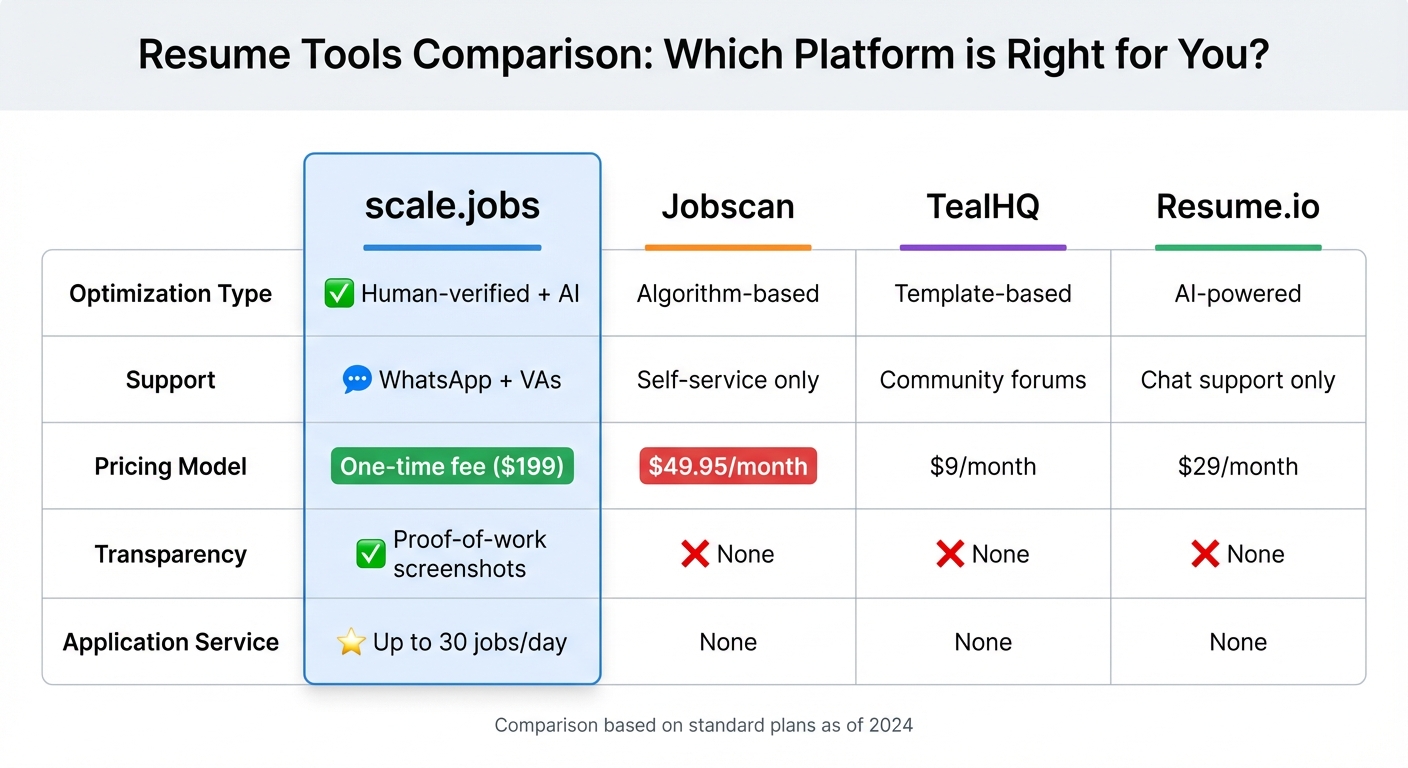
Resume Tools Comparison: scale.jobs vs Jobscan vs TealHQ vs Resume.io
When it comes to highlighting your LinkedIn Learning skills on an ATS-friendly resume, having the right tools can make all the difference. Here’s a closer look at how specific tools can help you seamlessly showcase your certifications and skills for maximum impact.
scale.jobs Resume Builder and ATS Checker
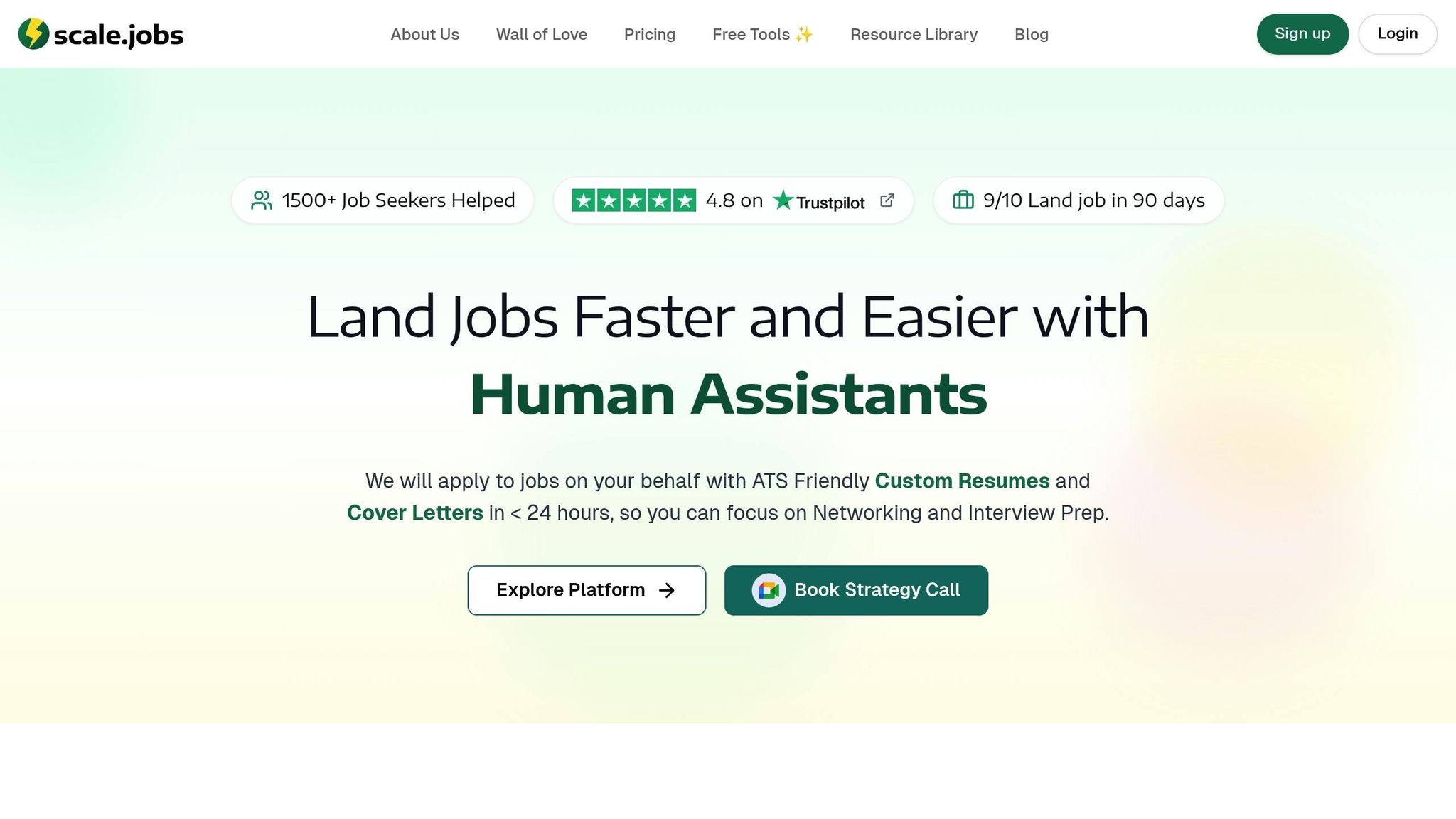
The scale.jobs AI Resume Builder is a free tool designed to make integrating certifications effortless. Unlike generic templates that might bury important keywords, this builder ensures your LinkedIn Learning skills are placed exactly where applicant tracking systems (ATS) will notice them. Whether it’s in a dedicated Certifications section, under Skills, or within Experience bullets, this tool optimizes placement for maximum visibility.
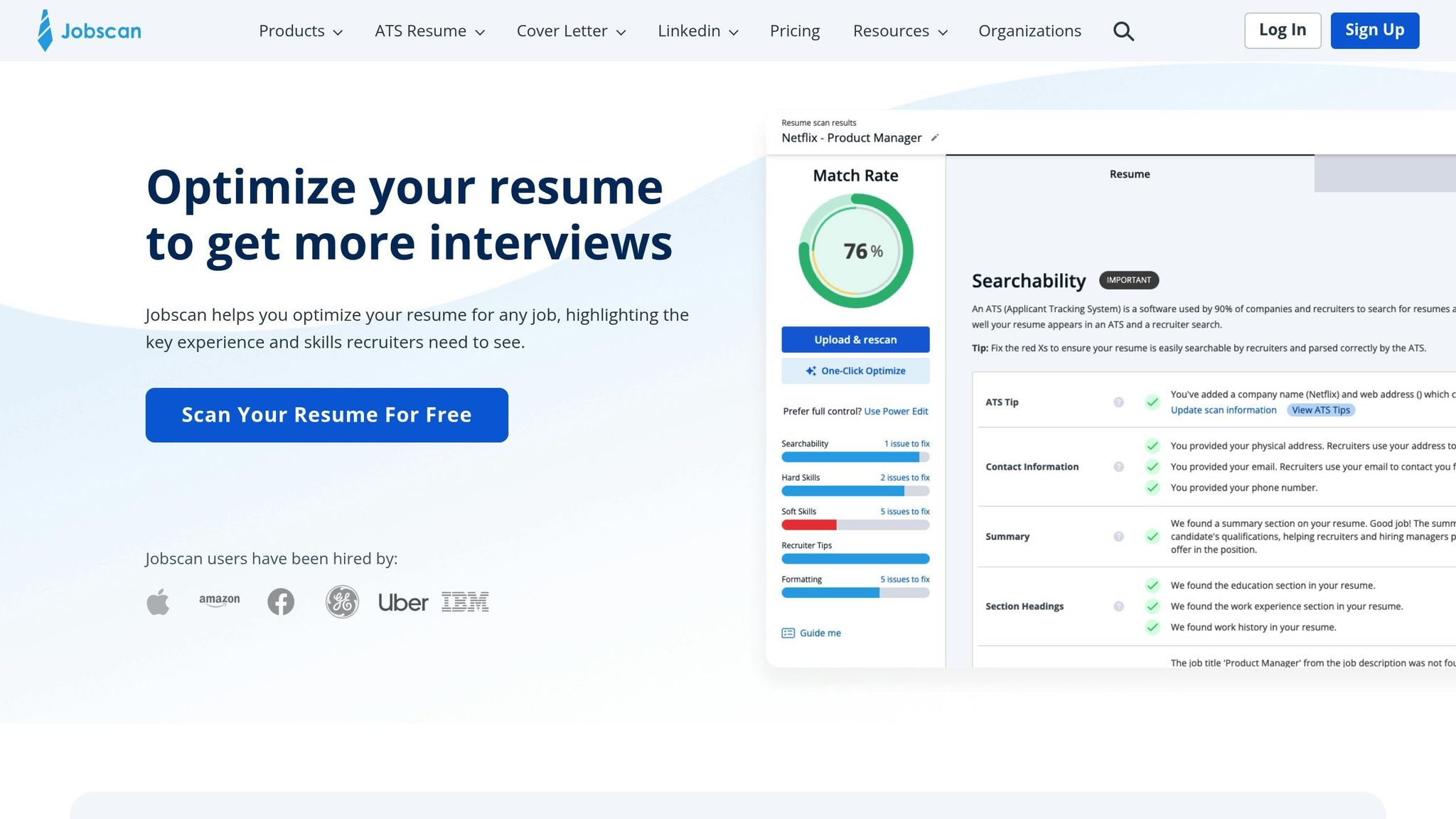
It also includes a Resume ATS Checker, which analyzes your resume for keyword density, formatting issues, and alignment with specific job descriptions. For example, if a job posting mentions "Python for Data Science" and you’ve completed that LinkedIn Learning course, the ATS Checker ensures that this exact phrasing is flagged and incorporated, improving your chances of passing the initial screening.
Human Assistants at scale.jobs
What sets scale.jobs apart is its use of human virtual assistants (VAs) to fine-tune your resume. Unlike tools that rely solely on algorithms, these trained professionals make thoughtful decisions about where and how to highlight your LinkedIn Learning credentials.
Need help deciding if a particular certification fits a specific job? The VAs provide instant WhatsApp support, offering personalized advice instead of generic responses. They also document every change with proof-of-work screenshots and timestamps, so you can see exactly how your resume was adjusted for each application. This level of transparency and hands-on support is something subscription-based tools like Jobscan or Teal simply don’t offer.
scale.jobs vs. Jobscan, Teal, and Resume.io
How does scale.jobs compare to its competitors? The differences are clear. The table below highlights key features across various platforms, showing why scale.jobs stands out. Combining AI with human expertise, scale.jobs ensures that only the most relevant LinkedIn Learning certificates - typically 3–5 per job - are chosen to align with the job description. This "Relevance Over Quantity" approach not only improves ATS visibility but also makes your resume more appealing to recruiters.
Plus, scale.jobs takes things a step further by handling the entire application process for you, applying to up to 30 jobs per day. This allows you to focus on networking and preparing for interviews, all without committing to recurring monthly fees.
| Feature | scale.jobs | Jobscan | TealHQ | Resume.io |
|---|---|---|---|---|
| Optimization Type | Human-verified + AI | Algorithm-based | Template-based | AI-powered |
| Support | WhatsApp + VAs | Self-service only | Community forums | Chat support only |
| Pricing Model | One-time fee ($199) | $49.95/month | $9/month | $29/month |
| Transparency | Proof-of-work screenshots | None | None | None |
| Application Service | Up to 30 jobs/day | None | None | None |
With its unique blend of human insight, AI precision, and full-service application support, scale.jobs offers a comprehensive solution for job seekers who want to make the most of their LinkedIn Learning credentials.
Conclusion
When adding LinkedIn Learning skills to your profile, focus on showcasing the courses that align most closely with your career goals. Highlight these achievements strategically - whether in a dedicated Certifications section, under Skills, or integrated into your Experience section with measurable results.
Here’s why it matters: LinkedIn data shows that members who list at least one skill receive up to 2x more profile views and 4x more messages. Even better, regularly updating your skills can help you get promoted 11% faster. Those LinkedIn Learning credentials could be the key to moving from being overlooked to landing an interview.
Proper formatting and aligning with ATS keywords can feel like a challenge, but there are tools to simplify the process. Platforms like scale.jobs make it easier. Their free Resume Builder and ATS Checker handle the technical details, while their human virtual assistants offer tailored industry advice through WhatsApp support. Unlike subscription services like Jobscan ($49.95/month) or Rezi.ai ($29/month), scale.jobs charges a one-time fee of $199 and even provides proof-of-work screenshots.
"Skills are the breadcrumbs that line the path to your dream job." - Bruce M. Anderson, Content Marketer, LinkedIn
FAQs
How can I effectively highlight LinkedIn Learning skills on my resume?
When highlighting LinkedIn Learning skills on your resume, focus on 3–5 core skills that match the job you're targeting. Choose skills that showcase measurable achievements or are in high demand within your industry. Place these prominently in a Skills or Certifications section near the top of your resume to grab the attention of hiring managers right away.
If you’ve earned certifications, include their exact names and completion dates to establish credibility. For coursework, mention key topics or projects that directly relate to the position you're applying for. Customizing your resume for each role helps these skills stand out and align with what employers are looking for.
Where is the best place to include LinkedIn Learning certifications on my resume?
When adding LinkedIn Learning certifications to your resume, you have a few options to ensure they stand out. You can create a dedicated Certifications section to clearly display them. If the certifications are directly tied to your field or the position you're pursuing, consider listing them under Education or weaving them into the Skills section to emphasize how they strengthen your qualifications.
Focus on highlighting certifications that align closely with the job requirements and demonstrate key, role-specific skills. Use clean, professional formatting to make the information easy to read and impactful.
How can adding LinkedIn Learning skills improve my resume for ATS systems?
Including LinkedIn Learning skills and certifications on your resume can boost its chances of getting past Applicant Tracking Systems (ATS). Focus on showcasing 3–5 relevant skills or certifications that match the job description. Use keywords from the job posting to make your resume more likely to rank higher during ATS scans.
For maximum impact, place these skills in a dedicated Certifications or Skills section. Make sure they highlight measurable accomplishments or knowledge that directly aligns with the role you’re targeting. Customizing your resume this way helps emphasize your qualifications and increases the likelihood of catching a recruiter’s attention.